SOFO Request Management System
The Student Organization Finance Office (SOFO) at Wake Forest University processes thousands of requests from student organizations each semester. These organizations can submit a variety of requests that, once processed, provide the funding necessary to support their day-to-day activities. In doing so, SOFO not only enables student organizations to meet their operational needs but ultimately plays a pivotal role in keeping students actively engaged in their campus communities.
The current process
This is the SOFO database and management system of 2024–25, a Google Spreadsheet used to store, process, and track funding requests from students, where each row represents a single submission moving through review and approval.
| Pros | Cons |
|---|---|
| Easy to set up. | Scales poorly as requests and data volume grow. |
| Familiar interface, most staff already know how to use it. | Lacks robust access control and audit logs for sensitive data. |
| Low or no direct cost. | Prone to human error (accidental edits, deletions, or overwrites) |
| Difficult to enforce data integrity or validation rules. |
Given the critical importance of SOFO’s operations, I chose to dedicate our project to improving the current state of these processes. By streamlining and modernizing how requests are managed, I aim to enhance efficiency, security and reliability, strengthening the support system that empowers student organizations to thrive.
What’s needed?
SOFO’s current process exposes three core needs:
- A durable data store to capture requests, supporting documents, status changes, and audit history so information is consistent, secure, and queryable.
- Integration with the Qualtrics API to ingest form submissions.
- A management system that handles the request intake, review and approval.
What’s available?

The process of requesting funding for new solutions is complicated and creates management work down the line. Given these considerations, I started looking for options that could work within the university’s existing infrastructure. Students and campus offices have access to WakeSites, the university’s managed web hosting service. It offers a stable environment maintained by IT for publishing sites and applications.
- Static asset hosting for frontend bundles, images, and docs.
- PHP runtime.
- MySQL databases.
- SSL certificate.
- Scheduled jobs.
The solution

Out of the box, WakeSites provides solutions like WordPress, Omeka, and Grav, great for simple content sites, but not ideal when you need the flexibility to design a dashboard tailored to SOFO’s specific workflows. To bridge that gap, I chose Inertia.js, an open-source framework that connects a Laravel backend with a modern frontend (in our case React), providing a much better developer experience (DX).
Because Laravel runs on PHP, Inertia.js integrates seamlessly with WakeSites’ hosting environment, which already provides PHP and MySQL support. This means the entire system can live within the same managed infrastructure, without the need for a separate backend or API layer.
Inertia.js vs SPA (Classic React) apps
You might be wondering, if the app already uses Laravel and React, why not build them separately like a traditional Single Page Application (SPA)? While that’s a valid approach, Inertia.js offers key advantages by bridging the two into a stack. It avoids the overhead of building and maintaining an external API improving significantly the DX. One other big benefit is faster time to first render described in the following table.
| Inertia.js |
|---|
| Initial props come embedded, no extra round trip. |
| No separate API needed, props are sent directly from the server. |
| Keeps routing and controllers in the backend. |
| Monolith simplicity, one codebase, unified auth/session. |
Architecture Diagram
Stakeholders & Journey (as of Oct. 2025)
The app is built around a few clear roles, each with a different way of interacting with the system.
- Students/Treasurers : submit funding forms through Qualtrics but don’t directly interact with the dashboard.
- SOFO Administrators : manage incoming requests, reviewing, approving, or denying them as needed.
- SOFO Owners : have the highest level of access. They inherit all administrative capabilities and can also manage the core reference data tied to requests (such as agencies, cost centers, SBAC codes, and SAF events).
The Entities
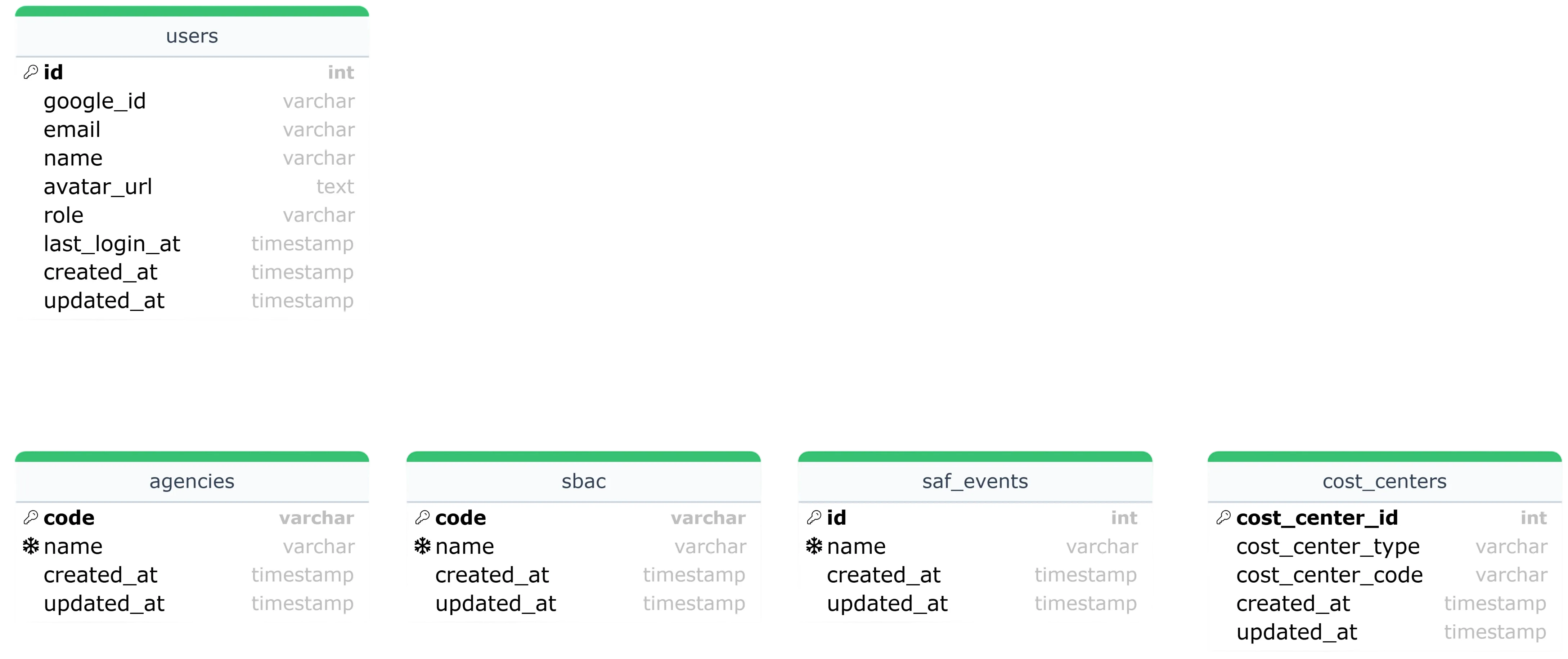
Sign-in and Reference Data
- users : minimal profile for Google OAuth (
google_id,email,name,avatar_url,role). The role field helps distinguish between different types of stakeholders. - agencies, sbac, saf_events, cost_centers : store the different types of agencies, events, and cost centers which will be referenced by requests.
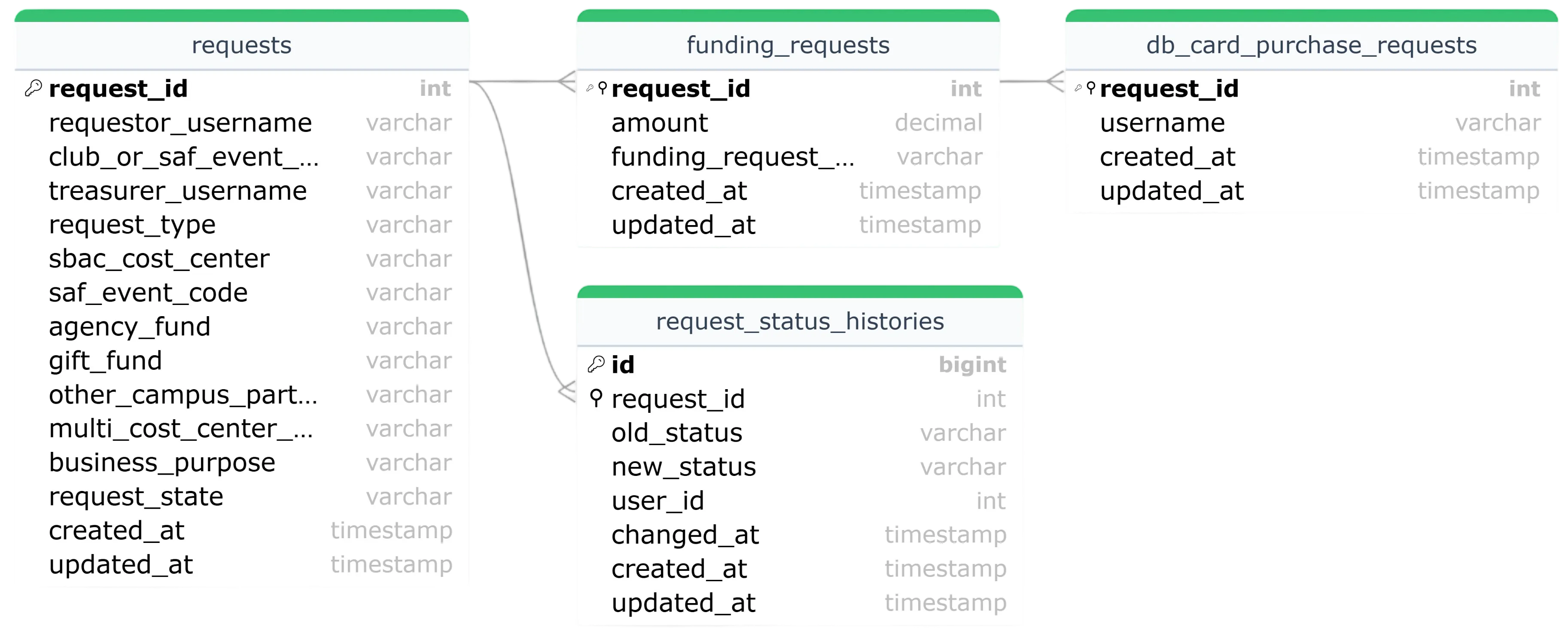
Request Lifecycle (as of Oct. 2025)
- requests : each form submission starts here, storing who submitted it, which treasurer is assigned, the type of request, its purpose, and current state.
- funding_requests : subset of requests that are for funding (Invoice, Debit Card, Uber and Amazon vouchers).
- db_card_purchase_requests : Specific case of a funding request, used when the request is for issuing or using a Debit Card.
- request_status_histories : keeps a timeline of how a request moves through the process, recording each status change and when it happened.
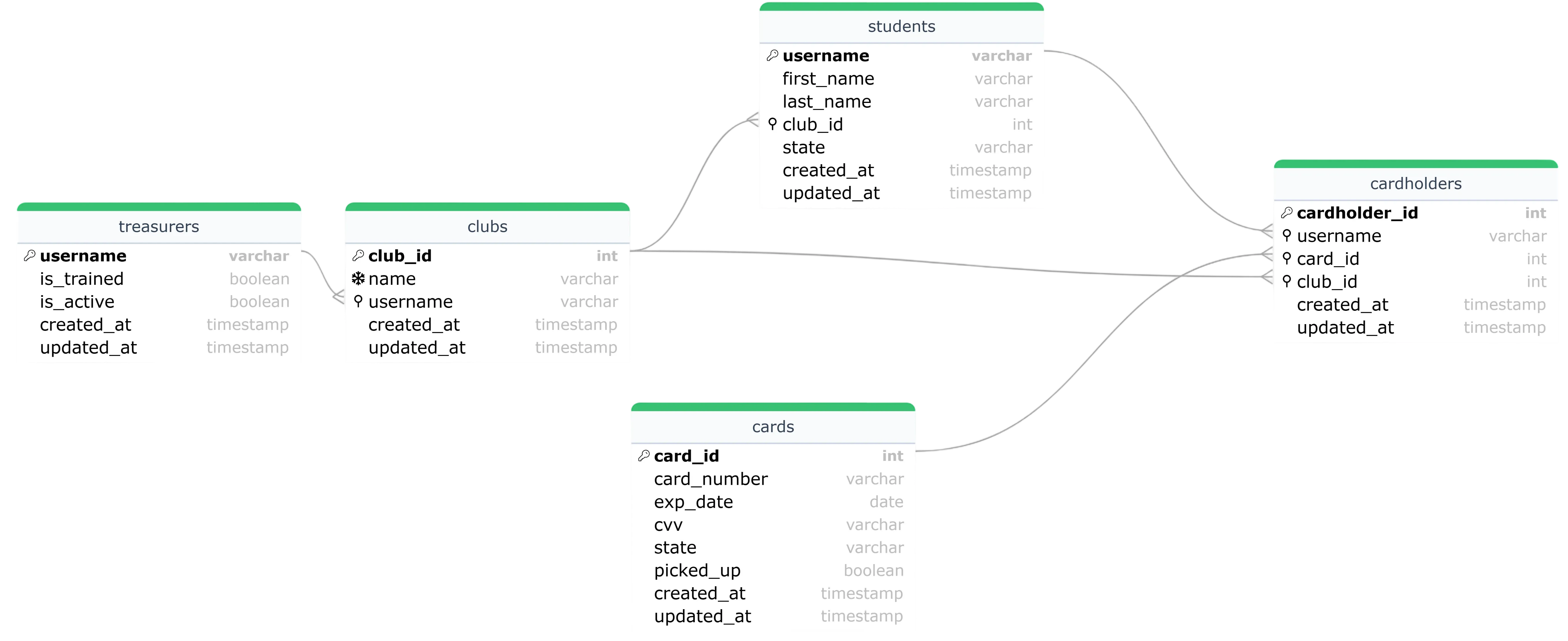
Card Directory
- treasurers : the people responsible for reviewing and approving club requests.
- clubs : a registry of all clubs, each linked to a treasurer who oversees its finances.
- students : the directory of students, which can also be a club member.
- cards : expedited DB cards (necessary for tracking), with card details and status.
- cardholders : connects cards to individual students and their clubs, showing who currently holds which card.
Wireframes
These wireframes depict the main screens and interactions in the app, showing how different stakeholders will experience the system.
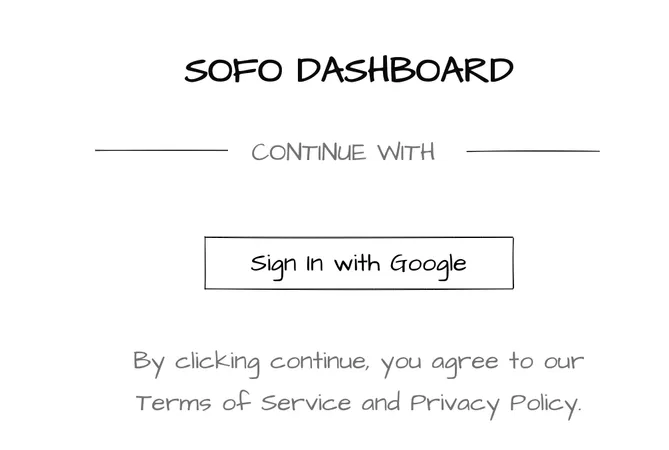
Sign-in
- Entry point for Administrators and Owners logging in via Google OAuth.
- Minimal interface, focused on authentication without handling passwords directly.
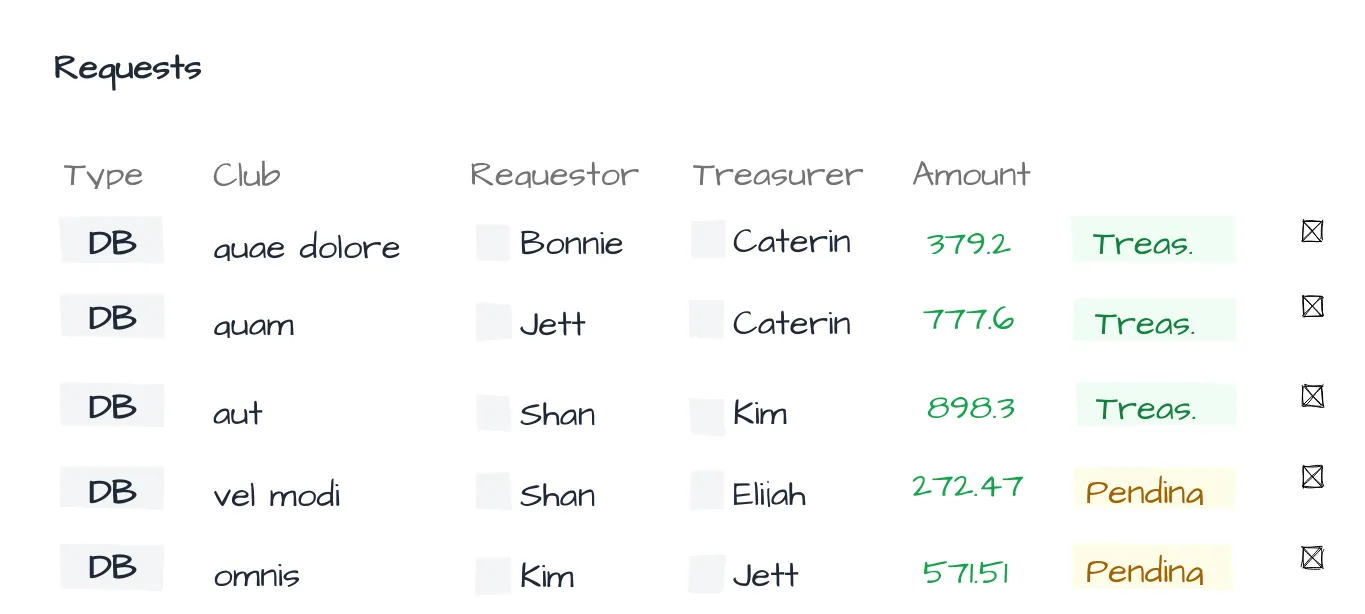
Requests Overview
- View where administrators and owners can see submitted requests.
- Provides quick visibility into state, type, and requester.
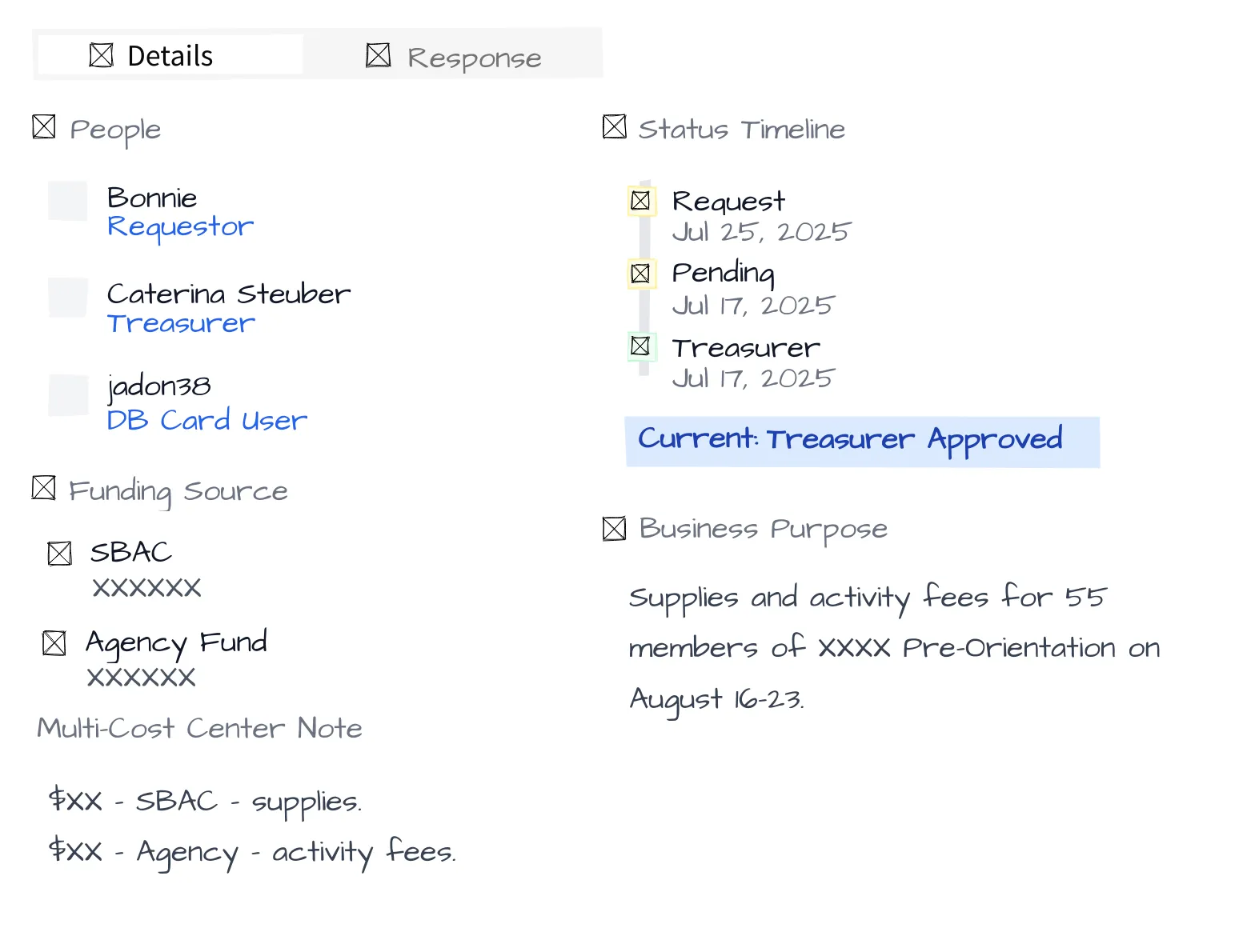
Request Details
- Expanded view of a specific request.
- Shows context, financial information, and linked entities (club, student, etc.).
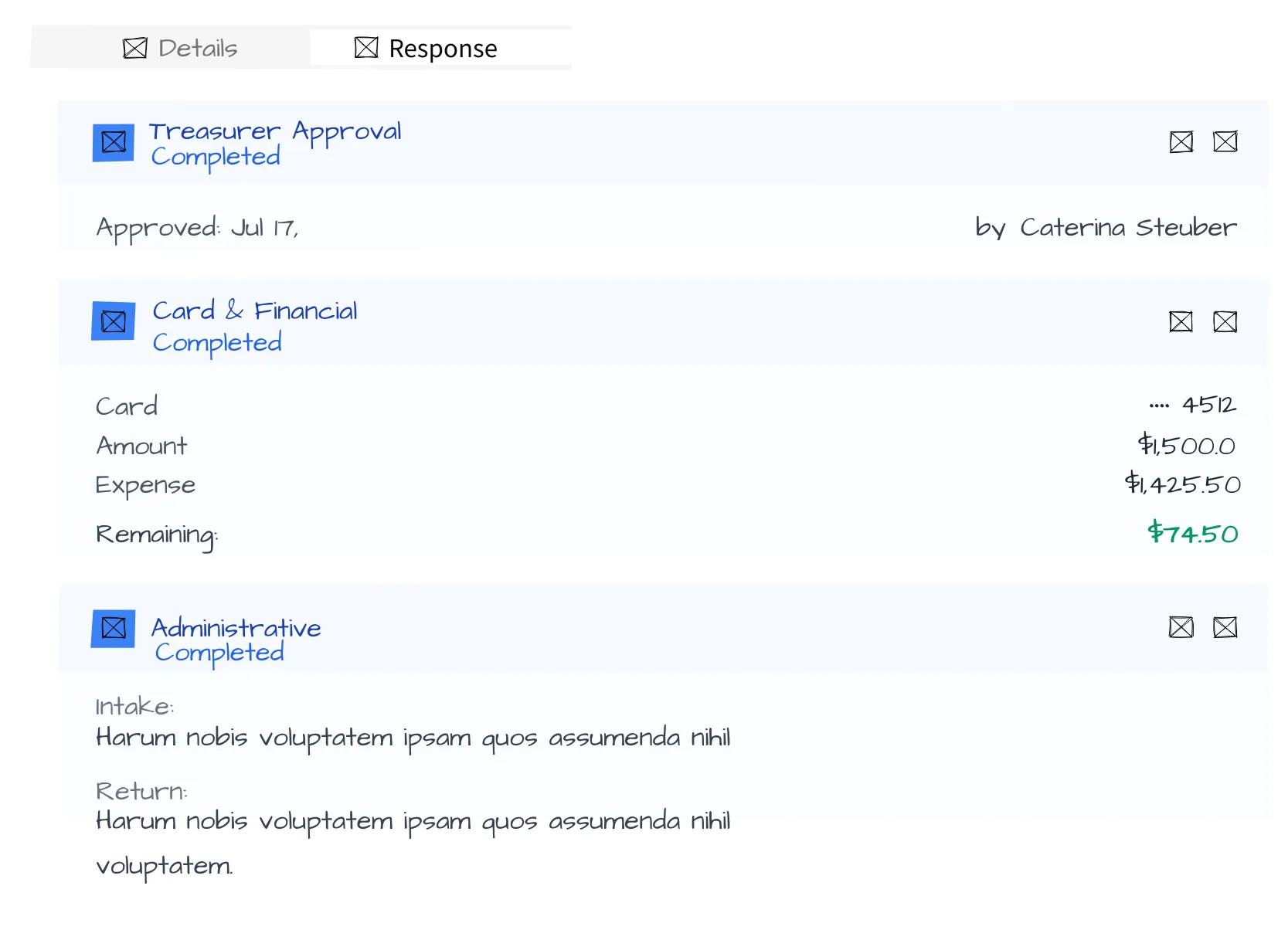
Request Response
- Screen for administrators to approve, deny, or return requests.
- Captures actions taken and keeps a trail of responses.
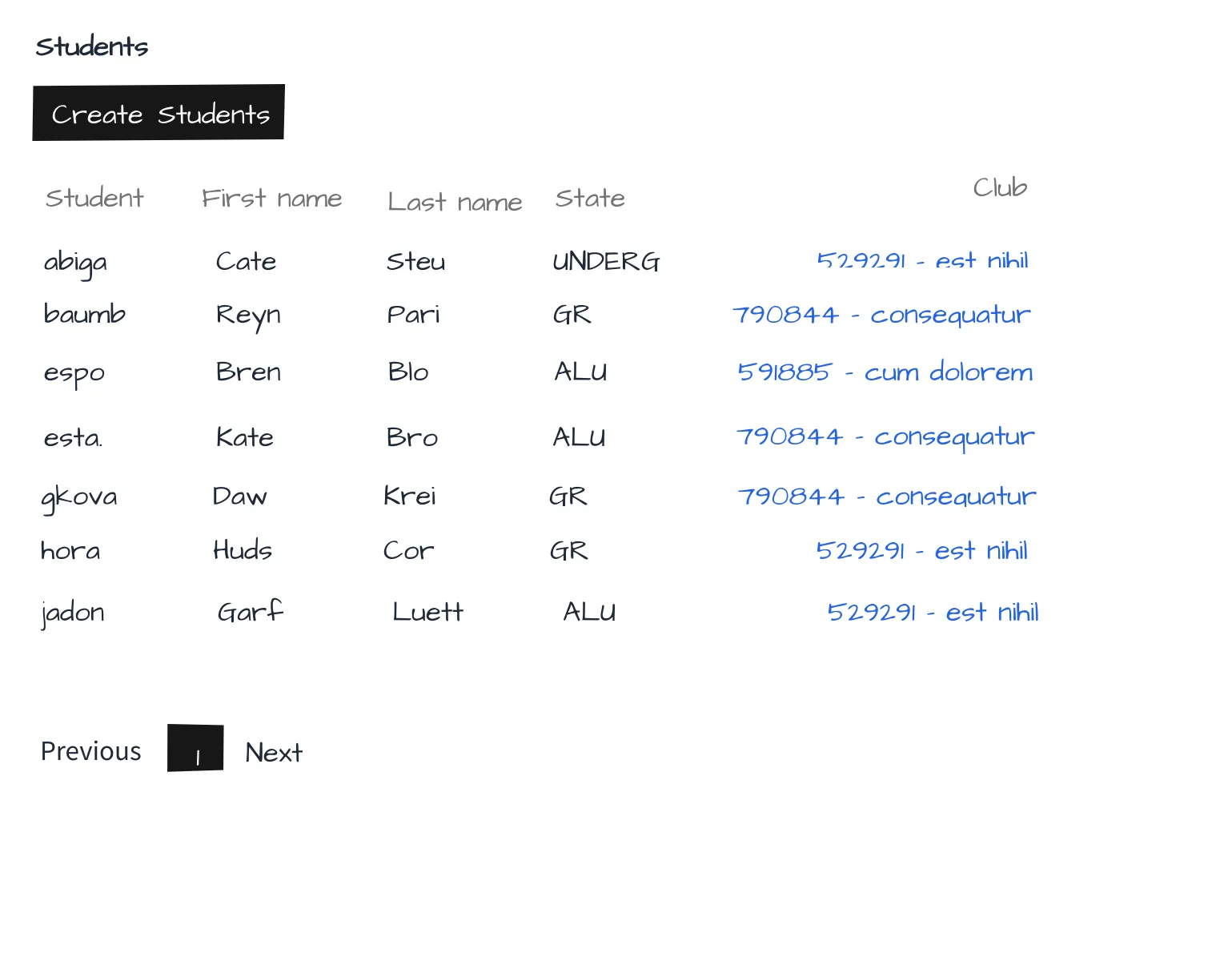
Students Directory
- Shows the roster of students.
- Useful for administrators when matching requests to specific people.
- These view format will be reused for all tables that require same Create, Read, Update and Delete (CRUD) functionalities.
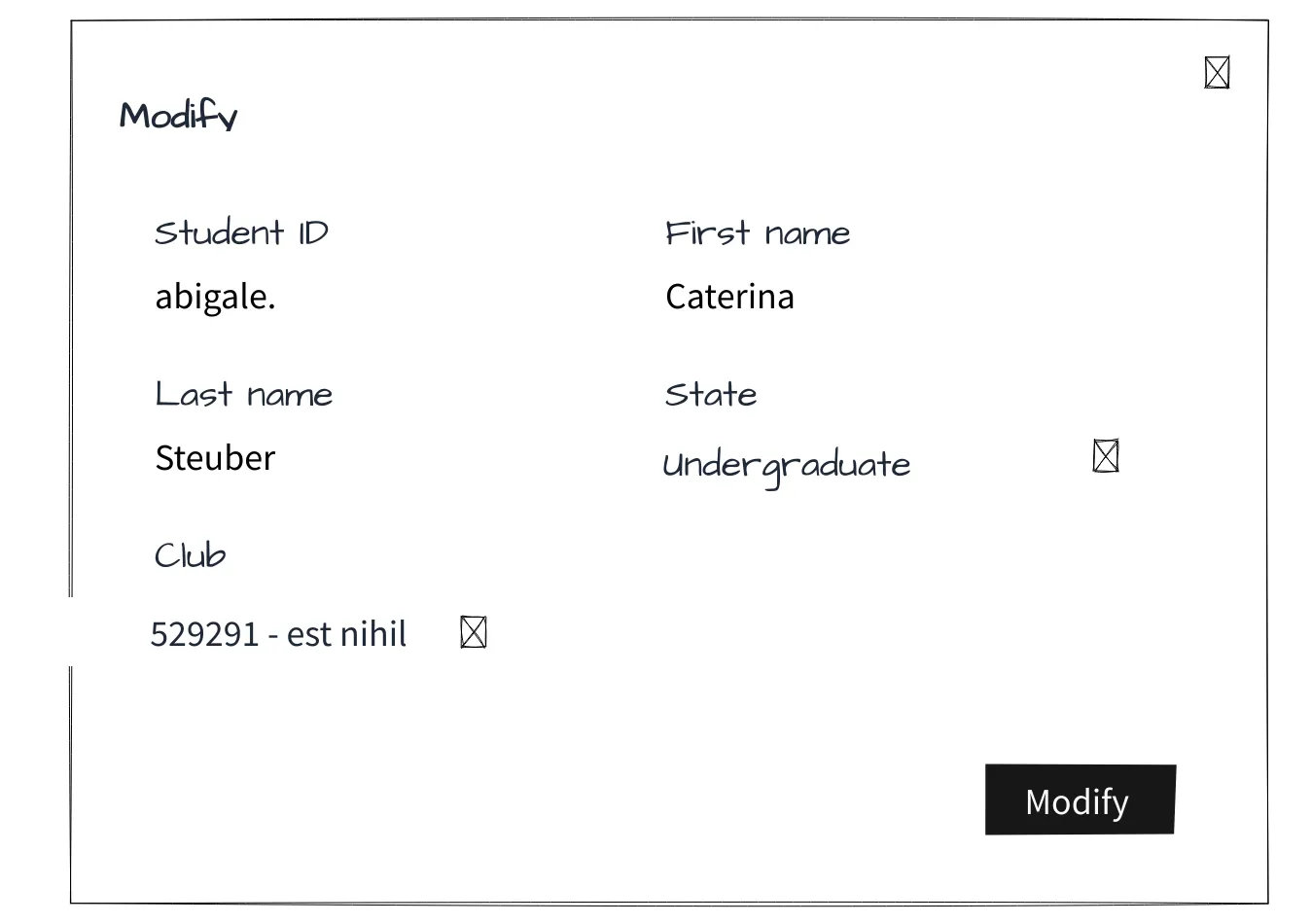
Modify Student
- Form for updating student records (e.g., name, club membership).
- Keeps the directory accurate and up to date.
- These view format will be reused for all tables that require same CRUD functionalities.